React Performance Optimization: 10 Proven Techniques
React performance optimization techniques — memoization, code splitting, virtualization, and 7 more battle-tested strategies from real apps.
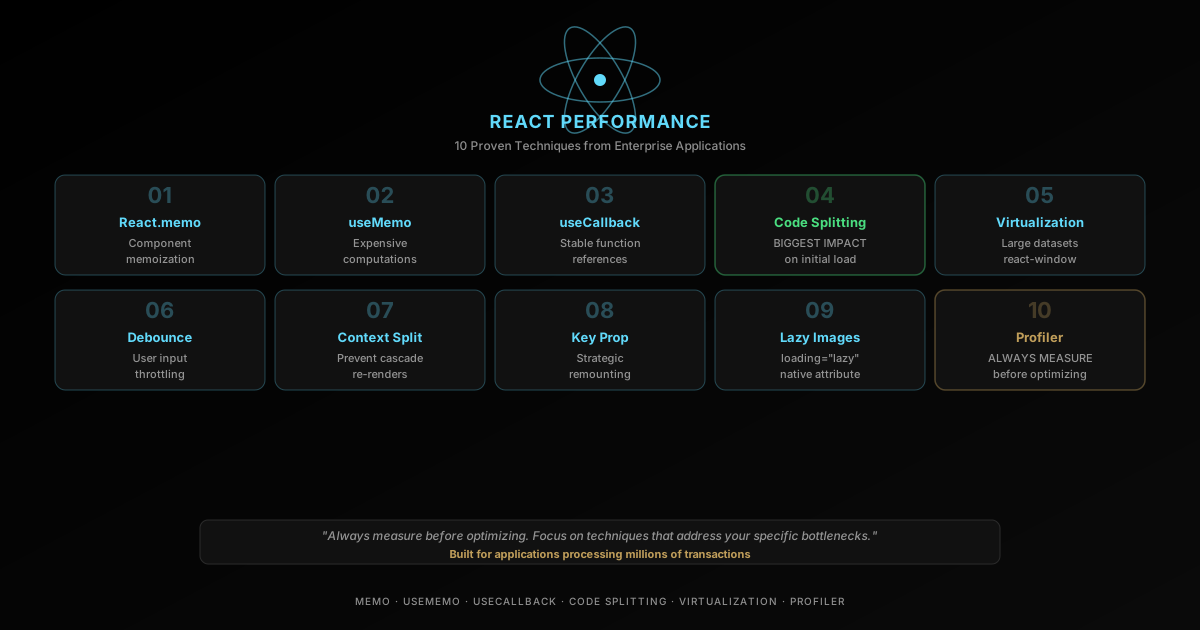
What is React performance optimization? It’s the practice of finding and removing the render, computation, and load-path costs that make a React app feel slow — not applying every trick in a checklist. After optimizing React applications across fintech, automotive, and travel domains, I’ve identified the techniques that deliver the biggest performance wins. Here are 10 proven strategies, in the order I actually reach for them. To confirm they move the needle, pair them with my Core Web Vitals optimization guide; for framework-level tradeoffs, see SvelteKit vs Next.js. See also The $1,100 Framework That Just Made Vercel’s $3 Billion Moat Obsolete.
TL;DR
- Profile first. React DevTools Profiler tells you where time actually goes — don’t guess.
React.memo+useMemo/useCallbackstop wasted re-renders and expensive recalculation, but only pay off on genuinely hot subtrees.- Code splitting and virtualization cut the biggest cost: what the browser has to load and render before the user can interact.
- Debouncing, context splitting, and image lazy-loading are cheap, high-leverage fixes for input lag and initial payload size.
- React performance optimization is a measurement discipline, not a library of blanket rules — apply techniques where profiling shows a real cost.
WHERE THE BIG WINS COME FROM
React performance problems usually cluster into four buckets: unnecessary renders, expensive calculations, oversized initial payloads, and optimization without measurement.
RENDER CONTROL
Contain work to the components that actually changed
Memoization, stable callback references, and smarter context boundaries all reduce wasted renders across the tree.
- Use `React.memo` on hot subtrees
- Keep prop references stable when it matters
- Split oversized contexts
COMPUTATION
Cache or defer expensive work
Heavy calculations and synchronous filtering logic can dominate interaction latency if they rerun on every keystroke.
- Reach for `useMemo` selectively
- Debounce non-urgent input work
- Break long tasks into smaller chunks
LOAD PATH
Ship less JavaScript up front
Code splitting, image strategy, and list virtualization matter because the fastest component is the one the browser never had to load or paint.
- Lazy-load heavy routes and charts
- Virtualize long collections
- Defer below-the-fold images
DIAGNOSTICS
Profile before and after every change
Without a baseline, optimization turns into superstition. Use React DevTools to confirm that a change actually removes measurable work.
- Record real user interactions
- Inspect commit durations
- Retest on throttled CPUs or low-end devices
The React Performance Optimization Playbook
These 10 techniques cover the same ground as any serious React performance optimization effort: render control, computation cost, load path, and diagnostics. Work through them in roughly this order — each one below builds on the profiling discipline from the last.
1. When Should You Use React.memo?
Reach for React.memo when a component re-renders with the same props more often than its parent actually changes meaningfully — typically list items, table rows, or sidebar widgets inside a frequently-updating parent.
const ExpensiveList = React.memo(({ items }: { items: Item[] }) => {
  return (
    <ul>
      {items.map(item => (
        <li key={item.id}>{item.name}</li>
      ))}
    </ul>
  );
});
2. useMemo for Expensive Computations
Cache the results of expensive calculations.
function Dashboard({ transactions }: Props) {
  const totalRevenue = useMemo(
    () => transactions.reduce((sum, t) => sum + t.amount, 0),
    [transactions]
  );

  return <span>{totalRevenue}</span>;
}
3. useCallback for Stable References
Prevent child re-renders caused by new function references.
function ParentComponent() {
  const handleClick = useCallback((id: string) => {
    // handle click
  }, []);

  return <ChildComponent onClick={handleClick} />;
}
4. Code Splitting with React.lazy
Load components only when they’re needed.
const HeavyChart = lazy(() => import('./HeavyChart'));

function Analytics() {
  return (
    <Suspense fallback={<div>Loading...</div>}>
      <HeavyChart />
    </Suspense>
  );
}
5. Which Virtualization Library Should You Use for Long Lists?
Render only visible items for large datasets — the DOM node count matters far more than most people expect once a list crosses a few hundred rows.
import { FixedSizeList } from 'react-window';

function UserList({ users }: { users: User[] }) {
  return (
    <FixedSizeList
      height={600}
      itemCount={users.length}
      itemSize={50}
    >
      {({ index, style }) => (
        <div style={style}>{users[index].name}</div>
      )}
    </FixedSizeList>
  );
}
react-window and react-virtuoso are the two libraries worth considering for most apps; react-virtualized is the older, heavier predecessor to react-window from the same maintainer and isn’t worth adopting for new code.
| Library | Bundle size | Variable row height | Best for |
|---|---|---|---|
react-window | ~2 KB (min+gzip) | Manual (VariableSizeList) | Simple lists/grids where you control row height |
react-virtuoso | ~13 KB (min+gzip) | Automatic | Chat logs, feeds, or any list with unpredictable content height |
react-virtualized | ~26 KB (min+gzip) | Automatic | Legacy codebases already using it — don’t adopt it new |
For most dashboards and admin tables, react-window is the right default — it does one thing and stays out of the bundle-size budget. Reach for react-virtuoso only when row heights genuinely vary (chat threads, comment sections) and the manual size calculation in react-window becomes a maintenance burden.
6. Debounce User Input
Prevent excessive re-renders and network calls from rapid input changes — a search box firing a request on every keystroke is the single most common cause of janky typing.
function SearchBox({ onQuery }: { onQuery: (q: string) => void }) {
  const [value, setValue] = useState('');

  useEffect(() => {
    const controller = new AbortController();
    const timer = setTimeout(() => {
      if (value.trim()) onQuery(value);
    }, 250);

    return () => {
      clearTimeout(timer);
      controller.abort();
    };
  }, [value, onQuery]);

  return <input value={value} onChange={(e) => setValue(e.target.value)} />;
}- Delay network-bound or filtering work by roughly 150-300ms
- Pair debouncing with
AbortControllerfor fetch-heavy interactions so a stale request never overwrites a fresher result - Avoid debouncing the visible input state itself — the input should feel instant even while the downstream work waits
7. Optimize Context Usage
Split contexts to prevent unnecessary re-renders across the component tree — a single monolithic AppContext means every consumer re-renders whenever any piece of state changes, even state it never reads.
// One giant context re-renders every consumer on any change:
const AppContext = createContext({ user: null, theme: 'dark', flags: {} });

// Splitting by concern means a theme toggle never re-renders auth consumers:
const AuthContext = createContext<AuthState | null>(null);
const ThemeContext = createContext<ThemeState | null>(null);
const FlagsContext = createContext<FlagsState | null>(null);- Keep auth, theme, permissions, and feature flags in separate contexts when practical
- Memoize provider values (
useMemo) so consumers don’t churn on every render of the provider itself - Reach for selector patterns (e.g.
useContextSelector) before introducing a new state library
8. Use the key Prop Strategically
Force component remounting when data changes fundamentally — this trades a full remount for the bugs that come from partially-stale internal state.
// Remount the whole form when the record changes, instead of
// manually resetting every field in an effect:
<UserForm key={userId} userId={userId} />- Reset a form when
userIdorrecordIdchanges - Remount charts when the data shape changes fundamentally
- Don’t use keys to hide deeper state management bugs — if you’re keying to fix a bug rather than intentionally reset state, find the actual bug
9. Lazy Load Images
Use the native loading="lazy" attribute for below-the-fold images — it costs nothing and needs no JavaScript.
<img
  src="/dashboard-chart.webp"
  width="800"
  height="450"
  loading="lazy"
  alt="Quarterly revenue chart"
/>- Add
widthandheightoraspect-ratioto avoid layout shifts (a top Core Web Vitals culprit) - Use eager loading and
fetchpriority="high"only for true hero media — everything else should be lazy - Prefer responsive
srcsetover a single oversized asset shipped to every device
10. Profile with React DevTools
Always measure before optimizing. Use the React Profiler to identify actual bottlenecks instead of guessing which component is slow.
- Capture the exact interaction that feels slow — a specific click, keystroke, or route change, not “the app in general”
- Compare flame charts before and after each change to confirm the fix removed real work, not just moved it
- Re-test on lower-end hardware assumptions, not just your laptop — CPU throttling in DevTools approximates a mid-range Android phone
OPTIMIZE DELIBERATELY
Most React performance wins come from a few targeted interventions. Most performance mistakes come from applying those interventions everywhere.
HIGH-LEVERAGE MOVES
Start with the optimizations that routinely pay off
- Profile first so you know where the time is going
- Memoize genuinely hot subtrees, not everything
- Split large routes and heavy charts out of the initial bundle
- Virtualize long lists before micro-optimizing list items
COMMON MISFIRES
Avoid cargo-cult performance work
- Blanket `useMemo` and `useCallback` usage without evidence
- Optimizing a list of 20 items as if it were 20,000
- Ignoring network waterfalls while blaming React for everything
- Treating every re-render as a bug instead of a cost trade-off
Key Takeaways
- Always measure performance before optimizing
- Focus on the techniques that address your specific bottlenecks
- React.memo and useMemo are your most-used tools
- Code splitting has the biggest impact on initial load time
- Virtualization is essential for large datasets
These techniques have helped me build applications processing millions of transactions with smooth, responsive UIs.
Most of this playbook is about avoiding unnecessary React re-renders — but it’s worth knowing what the reactivity layer underneath a framework actually costs. Tracing an 80-line Proxy-based reactive core shows the same dependency-tracking problem React solves with a virtual DOM, done in 855 bytes instead.
Profiling a slow component once is only half the job — the other half is stopping it from getting slow again after the next PR. Fixing performance regressions with a CI benchmark ratchet covers the gate that turns a one-time profiling win into a permanent one.
FAQ
Questions readers usually have
Sources
Google Search · Preferred sources
Prefer this site on Google
If you already read this writing, add umesh-malik.com as a Preferred Source. Google can then highlight it with a preferred badge in Top Stories, AI Overviews, and AI Mode — for you, not as a site-wide ranking boost.
Related Articles

Web Engineering
SvelteKit vs Next.js 2026: Which Should You Choose?
SvelteKit vs Next.js: an in-depth 2026 comparison of performance, DX, routing, and deployment, from real production experience.

Web Engineering
Fix Shadow DOM innerHTML not working: use setHTMLUnsafe
Shadow DOM innerHTML not working is a parsing gap, not a bug — it silently skips declarative shadow roots. Use setHTMLUnsafe() instead, plus five more gotchas.

Web Engineering
Build JavaScript Proxy Reactive State: 855 Bytes, No Framework
Javascript proxy reactive state in under a kilobyte: an 80-line get/set trap that tracks reads, batches writes, and quietly breaks on one property name.
Keep reading
Get new posts on AI, Claude Code & LLMs
New deep-dives on AI engineering, Claude Code, and developer tooling — follow along however you prefer.
About the Author

Software engineer writing about AI, Claude Code, LLMs, OpenAI, Anthropic, and developer tooling. 5+ years building production systems at Expedia Group, Tekion, and BYJU'S.