Build a RAG Pipeline From Scratch: Production Patterns That Matter
Build a RAG pipeline from scratch: chunking, embeddings, retrieval, reranking, grounded generation, and the production patterns that decide whether it works.

Most RAG tutorials stop at “embed your docs, do a similarity search, stuff the results in a prompt.” That gets you a demo. If you actually want to build a RAG pipeline from scratch that gives correct, grounded answers on real data, you need the stages most tutorials skip — and that gap is where all the real engineering lives.
If you’re still deciding whether RAG is even the right tool versus fine-tuning, read RAG vs Fine-Tuning for LLMs first. This post assumes you’ve decided to retrieve.
What is a RAG pipeline?
A retrieval-augmented generation (RAG) pipeline is a system that retrieves relevant chunks of your own data and feeds them to an LLM as context before it generates an answer, instead of trusting whatever the model memorized during training.
It’s a series of stages, and a weak link in any one of them caps the quality of the whole thing. You can have a frontier model and a beautiful prompt, and still ship garbage if your chunking is wrong. So this is the pipeline end to end, with the production patterns that decide whether it works — not just the happy-path demo.
TL;DR
- RAG is a pipeline: ingest → chunk → embed → store → retrieve → generate. The output is only as good as the weakest stage.
- Retrieval quality is everything. Most “the LLM hallucinated” bugs are actually “the right chunk never got retrieved” bugs.
- Chunk on meaning, not character counts. Semantic boundaries plus light overlap beat fixed-size splits.
- Don’t rely on vector search alone. Hybrid (keyword + vector) retrieval with a reranker is the production default.
- Ground the generation. Pass only retrieved context, require citations, and refuse when context is thin.
- You can’t improve what you don’t measure. Build a retrieval eval before you tune anything.
How do you build a RAG pipeline from scratch, stage by stage?
1. Ingestion
Load your sources and clean them before anything else. Strip boilerplate, nav chrome, and duplicated headers/footers. Garbage in here propagates through every downstream stage and you’ll never trace the bad answer back to it. Preserve structure — headings, lists, tables — because that structure is what makes good chunking possible.
2. Chunking — where most pipelines quietly fail
Chunking is the highest-leverage, most-underrated stage. The naive move is to split every document into fixed 500-character windows. Don’t. Fixed-size splitting severs sentences and merges unrelated ideas, and then retrieval surfaces fragments that don’t mean anything on their own.
Instead:
- Split on semantic boundaries — headings, paragraphs, list items. Respect the document’s own structure.
- One idea per chunk. A chunk should be retrievable and self-contained.
- Add light overlap so context isn’t cut mid-thought between adjacent chunks.
- Attach metadata to every chunk: source, title, section, date, URL. You’ll use it for filtering and citations.
chunk = {
  id, text,
  metadata: { source, title, section, url, date }
}
💡 Key insight: If retrieval is bad, fix chunking before you touch the model or the prompt. The retriever can only find what chunking made findable.
3. Embedding
Turn each chunk into a vector with an embedding model. Two rules that save pain later:
- Embed the same way at index time and query time. Same model, same preprocessing. A mismatch silently wrecks relevance.
- Version your embeddings. When you change the embedding model, you must re-embed the whole corpus. Track which model produced which vectors so you know when a reindex is due.
4. Storage
Store vectors in an index that does fast similarity search with metadata filtering. You don’t necessarily need a dedicated vector database — pgvector on the Postgres you already run handles a surprising amount before a specialized store (Qdrant, Weaviate, Pinecone) earns its keep.
What actually matters: filtering. “Search only this customer’s docs” or “only documents from the last year” is a metadata WHERE clause combined with vector similarity. Without it, retrieval leaks across boundaries it shouldn’t.
| Option | Type | Best for | Notes |
|---|---|---|---|
pgvector | Postgres extension | Teams already running Postgres | No new service to operate; scales into the tens of millions of vectors |
| Qdrant | Dedicated vector DB | High-QPS, filtered search at scale | Open-source; self-host or managed |
| Weaviate | Dedicated vector DB | Hybrid search out of the box | Ships BM25 + vector fusion natively |
| Pinecone | Managed vector DB | Teams that don’t want to run infra | Fully managed, usage-based pricing |
5. Retrieval — go hybrid, then rerank
This is the stage that most separates a demo from a product.
Vector search alone is not enough. Embeddings are great at semantic similarity and bad at exact matches — error codes, product SKUs, proper nouns, acronyms. Keyword search (BM25) is the opposite. Hybrid retrieval runs both and merges the results, so you catch both “what they meant” and “the exact term they typed.”
Then rerank. Initial retrieval optimizes for recall — pull a generous candidate set (say, top 20). A cross-encoder reranker then scores those candidates against the query far more precisely and keeps the top handful you’ll actually pass to the model. Retrieve broad, rerank narrow.
candidates = vectorSearch(q, k=20) ∪ keywordSearch(q, k=20)
top = rerank(q, candidates)[:5]
6. Grounded generation
Now — and only now — the LLM. The job here is to keep it honest:
- Pass only the retrieved context. Don’t let the model fall back on parametric memory for facts it should be reading.
- Require citations. Ask it to cite the chunk/source for each claim. Citations are both a UX feature and a hallucination check.
- Give it permission to say “I don’t know.” If the retrieved context doesn’t answer the question, the correct output is a refusal, not a confident guess. Tell it that explicitly.
System: Answer ONLY from the context below. Cite sources by id.
If the context doesn't contain the answer, say you don't know.

Context:
[1] {chunk_1}
[2] {chunk_2}
...

Question: {user_query}
The patterns that separate prod from demo
- Hybrid + rerank, not bare vector search. The single biggest quality jump.
- Metadata filtering for security and scoping — never retrieve across tenant or permission boundaries.
- Citations and refusal wired into the prompt, so wrong answers become “I don’t know” instead of confident fiction.
- Caching. Cache embeddings (don’t re-embed unchanged chunks) and cache answers to repeated queries.
- A retrieval eval set. A fixed set of question → expected-source pairs you can score on every change.
Common mistakes
- Fixed-size chunking. The default that quietly caps your ceiling. Chunk on meaning.
- Vector-only retrieval. You’ll miss exact-match queries every time. Add keyword search.
- No reranking. Stuffing the raw top-k into the prompt wastes context on near-misses.
- Tuning the prompt to fix a retrieval problem. If the right chunk isn’t retrieved, the prompt is irrelevant. Diagnose retrieval first.
- No evaluation. “It looks better” isn’t a metric. Without an eval set you’re guessing, and you’ll regress silently.
Best practices
- Measure retrieval separately from generation. Most failures are retrieval failures; isolate them. Track recall on your eval set.
- Chunk on structure, then iterate. Start with semantic boundaries and light overlap; adjust based on retrieval scores.
- Default to hybrid + rerank. Treat it as the baseline, not an optimization.
- Filter by metadata for scope and security. Especially in multi-tenant systems.
- Force grounding and citations. Answer only from context; cite; allow “I don’t know.”
- Re-embed on model change. Version vectors so you know when a reindex is required.
Conclusion
RAG isn’t one trick — it’s a pipeline, and quality is set by its weakest stage. Get chunking right, retrieve hybrid and rerank, ground the generation, and measure retrieval so you’re improving the right thing. Do that and you cross the line from impressive demo to a system people can trust with real questions.
Skip the engineering — relying on naive chunking and bare vector search — and you’ll ship something that demos well and fails the moment real users ask real questions.
FAQ
What are the stages of a RAG pipeline? Ingestion (load and clean source data), chunking (split it into retrievable units), embedding (turn chunks into vectors), storage (a vector index, often with metadata), retrieval (find relevant chunks for a query, ideally hybrid + reranked), and grounded generation (prompt the LLM with the retrieved context and require citations).
What is the most important part of a RAG pipeline to get right? Retrieval quality. If the right chunks don’t surface, no amount of prompting fixes the answer — the model can only reason over what it’s given. Most RAG failures are retrieval failures, usually traceable to bad chunking or relying on vector search alone.
What chunk size should I use for RAG? There’s no universal number, but chunk on semantic boundaries (headings, paragraphs) rather than fixed character counts, keep chunks focused on one idea, and add a little overlap so context isn’t severed mid-thought. Then measure retrieval quality and adjust — don’t guess once and move on.
Do I need a vector database for RAG? For anything beyond a prototype, yes — but it can be pgvector on the Postgres you already run, not a separate service. The point is fast similarity search with metadata filtering; many teams over-provision a dedicated vector DB they don’t yet need.
Sources
- Lewis et al., “Retrieval-Augmented Generation for Knowledge-Intensive NLP Tasks” — the original RAG paper.
- pgvector — open-source Postgres extension for vector similarity search.
- Sentence-Transformers: Cross-Encoders for reranking — the reranking approach referenced above.
- Elasticsearch BM25 similarity — reference implementation of the keyword-search side of hybrid retrieval.
Go deeper across LLM Engineering — RAG, Fine-Tuning & Production LLMs, revisit the RAG vs Fine-Tuning decision framework, or explore AI Coding Agents for the agentic side of LLM systems.
Explore more: LLM Engineering · AI Coding Agents · Claude Code
Frequently asked questions
Google Search · Preferred sources
Prefer this site on Google
If you already read this writing, add umesh-malik.com as a Preferred Source. Google can then highlight it with a preferred badge in Top Stories, AI Overviews, and AI Mode — for you, not as a site-wide ranking boost.
Related Articles

AI Engineering
Build a RAG Chatbot in Next.js: Retrieval, Streaming & Citations (2026)
Build a RAG chatbot in Next.js with the AI SDK: embed the query, search pgvector, stream a grounded answer with citations, and stop hallucinations.
AI Engineering
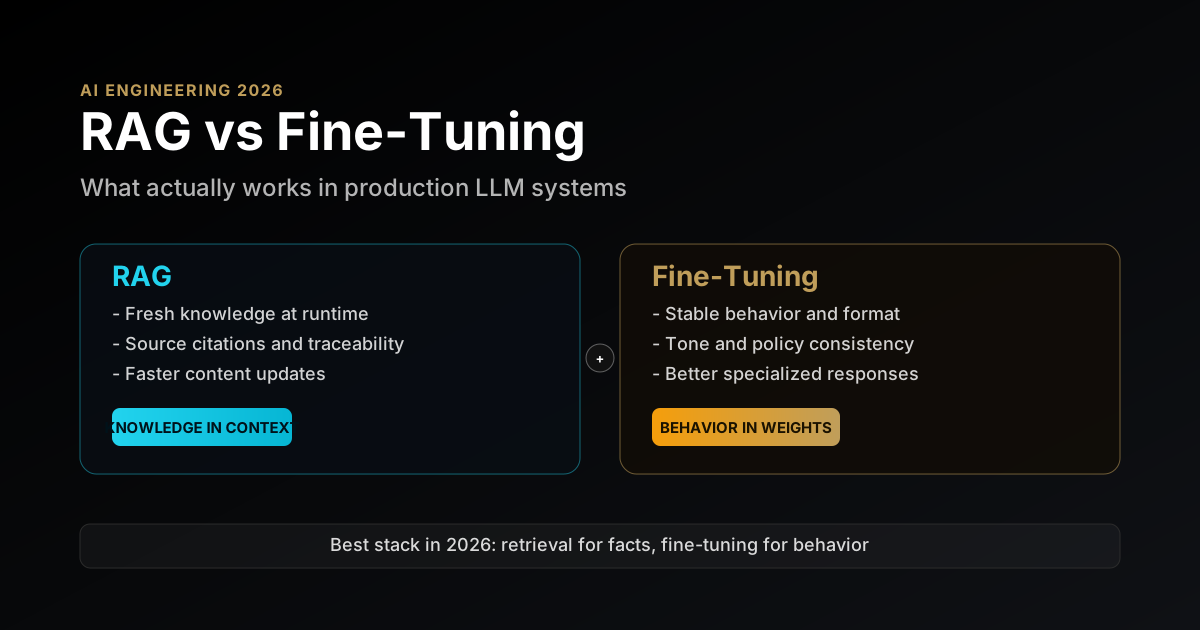
RAG vs Fine-Tuning for LLMs in 2026: A Production Decision Framework With Real Tradeoffs
RAG vs fine-tuning for LLMs in 2026: a practical decision framework covering architecture tradeoffs, cost, latency, and when to use each in production.

AI Engineering
How to Ground AI Agent Findings in Evidence: A Cloudflare Pattern
How to ground AI agent findings in evidence: validate every citation in code. Cloudflare's 3-state pattern plus a TypeScript checker you can copy.
Keep reading
Get new posts on AI, Claude Code & LLMs
New deep-dives on AI engineering, Claude Code, and developer tooling — follow along however you prefer.
About the Author

Software engineer writing about AI, Claude Code, LLMs, OpenAI, Anthropic, and developer tooling. 5+ years building production systems at Expedia Group, Tekion, and BYJU'S.