Developer Productivity Tools for Senior Engineers
A senior engineer's real stack of developer productivity tools — editor, terminal, code review habits, and focus systems that cut daily friction.

The best developer productivity tools don’t make you type faster — they cut the friction between thinking and executing. That’s the whole idea: fewer context switches, fewer manual steps, more time in flow. Below is the exact stack I use after 5+ years of building software professionally — editor, terminal, review habits, and focus systems, in one place. See also AGENTS.md Files Don’t Work the Way You Think.
TL;DR
- An AI-native editor (Cursor) plus a terminal-first agent (Claude Code CLI) removes more friction than any keyboard shortcut ever will.
fnmreplacesnvmfor near-instant shell startup — this alone is worth the five-minute switch.- Clean git history and disciplined PR size make review faster for everyone, not just you.
- Protecting 2-3 hour deep-work blocks beats squeezing out marginal typing speed.
- Writing short decision records saves hours of re-explaining choices months later.
PRODUCTIVITY SYSTEM IN ONE SCREEN
Senior-engineer productivity is usually a systems problem, not a hustle problem. The biggest gains come from reducing repeated friction across your entire day.
EDITOR
Use tools that collapse thought-to-code latency
AI-native editors and terminal workflows help most when they remove boilerplate, speed up refactors, and keep context close to the work.
- Primary editor for deep coding
- CLI tools for repo-wide changes
- Settings tuned to reduce visual clutter
TERMINAL
Small shell improvements compound daily
Aliases, fast runtime switching, and clean command habits save seconds that add up across dozens of repetitions.
- Git shortcuts
- Project command aliases
- Faster Node version management
COLLABORATION
Review quality and documentation are productivity tools
Good PR descriptions, disciplined review habits, and short decision records save future time just as much as they save present time.
- Explain the why
- Keep reviews scoped
- Record important decisions
FOCUS
Protect attention like a limited resource
Deep-work blocks and notification discipline matter more than squeezing marginal speed out of typing or memorizing more shortcuts.
- Time-block complex work
- Batch notifications
- Separate deep work from collaboration windows
What Is the Developer Productivity Tools Stack?
Developer productivity tools are the editors, terminal utilities, and workflow habits that shrink the gap between having an idea and shipping working code. A good stack removes friction. It doesn’t just bolt on more features.
Editor: Cursor AI + Claude Code CLI
I use AI-native editors that accelerate my workflow:
- Cursor AI for primary development — AI assistance woven into the editing experience for rapid prototyping, complex refactors, and context-aware code generation
- Claude Code CLI for terminal-based workflows — when I need to work through complex problems, review code, or make sweeping changes across a codebase directly from the terminal
Key Editor Settings
{
  "editor.formatOnSave": true,
  "editor.bracketPairColorization.enabled": true,
  "editor.minimap.enabled": false,
  "editor.stickyScroll.enabled": true,
  "typescript.preferences.importModuleSpecifier": "non-relative"
}
Why AI-Native Editors
Traditional editors are passive. They wait for you to type. AI-native editors are collaborative — they understand your intent and help you get there faster. For boilerplate, test generation, and refactoring, the productivity gain is substantial.
| Tool | Best for | Trade-off |
|---|---|---|
| Cursor AI | Primary editor, deep refactors | Another editor to configure and keep in sync |
| Claude Code CLI | Terminal-based multi-file changes, code review | Less visual than an IDE for exploring unfamiliar code |
| VS Code + Copilot | Teams standardizing on one free, mainstream stack | Weaker at sweeping, repo-wide edits |
Terminal: iTerm2 + Zsh
My terminal is where I spend the second most time after the editor.
Shell Aliases That Save Hours
# Git shortcuts
alias gs='git status'
alias gc='git commit'
alias gp='git push'
alias gl='git log --oneline -20'
alias gco='git checkout'
alias gbd='git branch -d'

# Project shortcuts
alias dev='pnpm dev'
alias build='pnpm build'
alias test='pnpm test'
alias lint='pnpm lint'

# Navigation
alias ..='cd ..'
alias ...='cd ../..'
alias proj='cd ~/Projects'
Why fnm Over nvm?
I switched from nvm to fnm (Fast Node Manager). The speed difference is noticeable. Shell startup went from ~500ms to ~50ms.
# .zshrc
eval "$(fnm env --use-on-cd)"
The --use-on-cd flag automatically switches Node versions when you enter a directory with a .node-version file.
Git Workflow
Commit Conventions
I follow Conventional Commits for all personal projects:
feat: add search functionality to blog
fix: resolve hydration mismatch in SSR
refactor: extract shared form validation logic
docs: update API documentation for v2
Interactive Rebase for Clean History
Before opening a PR, I clean up my commits:
git rebase -i HEAD~5A clean git history isn’t just vanity. It makes git bisect actually useful when tracking down bugs months later.
Code Review Habits
As both a reviewer and author, I’ve developed habits that keep reviews effective:
As an Author
- Keep PRs under 400 lines when possible
- Write a description that explains the why, not just the what
- Self-review before requesting review — catch the obvious stuff yourself
- Add inline comments on tricky sections to guide reviewers
As a Reviewer
- Start with the PR description and linked ticket
- Read tests first — they tell you what the code should do
- Focus on logic, not style (that’s what linters are for)
- Ask questions instead of making demands: “What happens if X?” not “Change this to Y”
Focus Management
Time Blocking
I protect 2-3 hour blocks for deep work:
- Morning (9-12): Complex coding, architecture, debugging
- Afternoon (1-3): Code reviews, meetings, collaboration
- Late afternoon (3-5): Documentation, planning, lighter tasks
Notification Management
- Slack: Check every 30 minutes during focus blocks, not continuously
- Email: Twice a day (morning and after lunch)
- GitHub notifications: Filtered to only PRs I’m reviewing or authored
Documentation as Productivity
Writing things down is the most underrated productivity tool.
Decision Records
For significant technical decisions, I write a short document:
## Decision: Use TanStack Query for Server State

### Context
We need to manage server state in the new dashboard feature.

### Options Considered
1. Redux Toolkit Query
2. TanStack Query
3. SWR

### Decision
TanStack Query — better devtools, simpler API, team familiarity.

### Consequences
- Need to add TanStack Query dependency
- Team needs brief onboarding on query patterns
This saves hours of re-explaining decisions months later.
AMPLIFIERS VS DISTRACTIONS
The best productivity tools are not the ones with the most features. They are the ones that reduce friction without fragmenting your attention.
AMPLIFIERS
Keep the tools and habits that compound
- Editor and CLI workflows that remove repetitive work
- Clean git habits that help future debugging and review
- Protected deep-work blocks for architecture, debugging, and coding
- Lightweight written decisions that reduce re-explaining later
DISTRACTIONS
Avoid productivity theater
- Constantly swapping tools instead of improving one stable setup
- Treating notifications as real-time obligations all day
- Opening oversized PRs that guarantee slow review cycles
- Optimizing typing speed while ignoring context-switch cost
Do You Need All of These Tools at Once?
No. Start with one change: switch to an AI-native editor, or fix your Node version manager. Add the rest only once the first change is a habit, not a project.
FAQ
Questions readers usually have
Key Takeaways
- Use AI-native editors — they’re a genuine productivity multiplier, not a gimmick
- Invest in shell aliases and git shortcuts — small savings compound daily
- Protect deep work time — context switching is the biggest productivity killer
- Clean git history pays off in debugging and knowledge transfer
- Write decisions down — your future self will thank you
- Code review is a skill worth developing separately from coding
Sources
- Cursor documentation
- Claude Code documentation
- fnm (Fast Node Manager) on GitHub
- Conventional Commits specification
Explore more: Claude Code — Guides & Deep Dives
Google Search · Preferred sources
Prefer this site on Google
If you already read this writing, add umesh-malik.com as a Preferred Source. Google can then highlight it with a preferred badge in Top Stories, AI Overviews, and AI Mode — for you, not as a site-wide ranking boost.
Related Articles

Career & Productivity
AI writing policy for engineers: the template and 5 checks
An AI writing policy for engineers works only if it governs accountability, not tool use. The five-line template, the mechanism behind it, five review checks.

Career & Productivity
AI incident response skill decay: the aviation fix that works
AI incident response skill decay is real: aviation solved the same problem decades ago with forced recurrent training, not less hands-on practice.
AI Coding Agents & DX
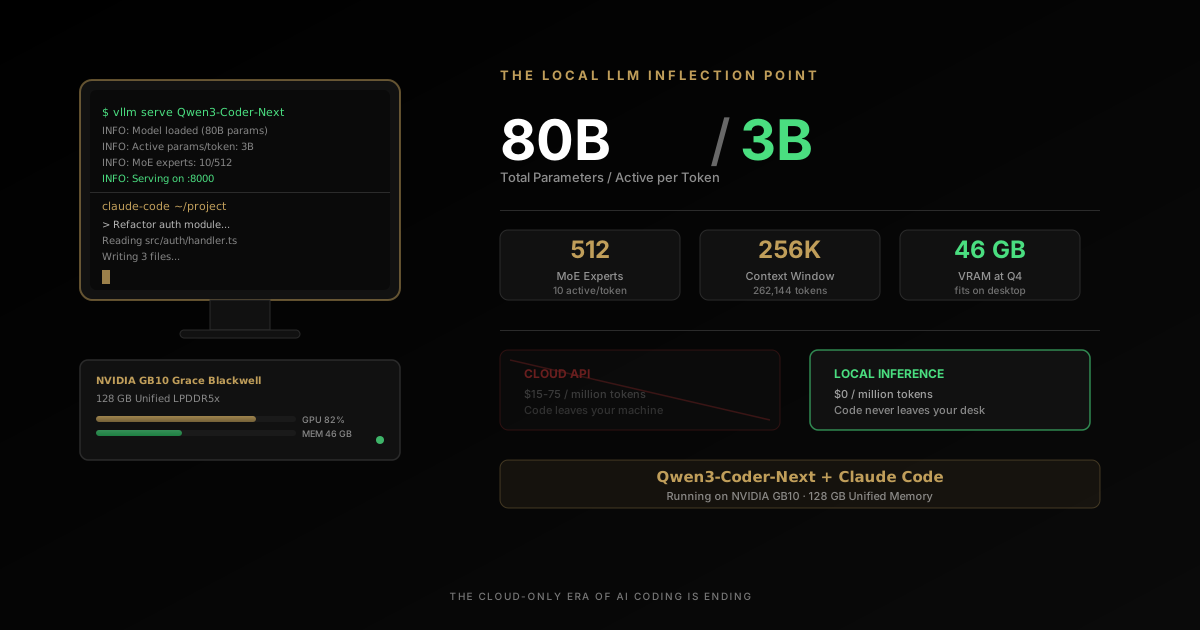
Qwen3-Coder: Run an 80B-Parameter LLM on Your Desktop
Qwen3-Coder runs 80B parameters on a desktop with only 3B active per token — and plugs into Claude Code. Why the cloud-only era of AI coding is ending.
Keep reading
Get new posts on AI, Claude Code & LLMs
New deep-dives on AI engineering, Claude Code, and developer tooling — follow along however you prefer.
About the Author

Software engineer writing about AI, Claude Code, LLMs, OpenAI, Anthropic, and developer tooling. 5+ years building production systems at Expedia Group, Tekion, and BYJU'S.